How we work

Start with one real problem. Build it properly. Measure whether it worked.

The process takes you from a first conversation to working software with a result we can measure. We agree what we are building, what it should improve and how we will know whether it has worked.

Five steps from first conversation to measured result
  1. 01

    First conversation

  2. 02

    Agree the work

  3. 03

    Build and connect

  4. 04

    Go live and train people

  5. 05

    Measure and improve

The five steps

From a useful question to a result you can measure.

Step 01

First conversation

Tell us the problem and the result you want

We start with a 30 minute conversation with a software engineer. You explain the process you want to improve and the result you want to measure. We tell you whether KynticAI or AI is useful for that problem. If it is not, we say so.

A clear problem, a clear result to measure and an honest view of whether the work is worth doing.

Phase diagram
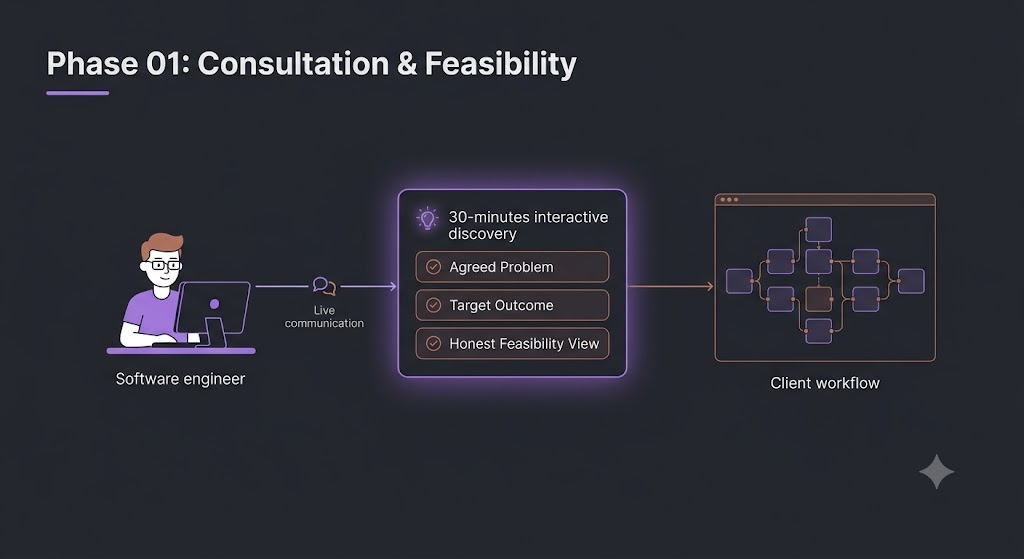
A first discussion connecting an engineer to a customer process, showing the problem, target result and whether the idea is practical.

Step 02

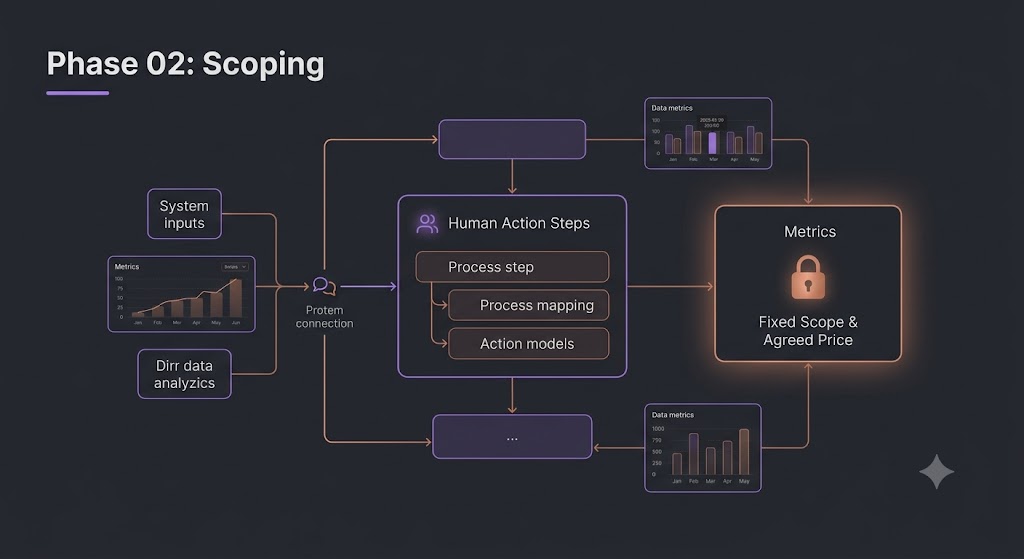
Agree the work

A clear scope, price and result to measure

We map the process from start to finish. We identify the systems involved, the information available, what people do today and the result we want to improve. You get a written scope and price before work starts. Nothing changes without agreement.

A clear plan covering what we will build, what it connects to and how success will be measured.

Phase diagram
A project plan showing system connections, information inputs, current work steps, scope and agreed price.

Step 03

Build and connect

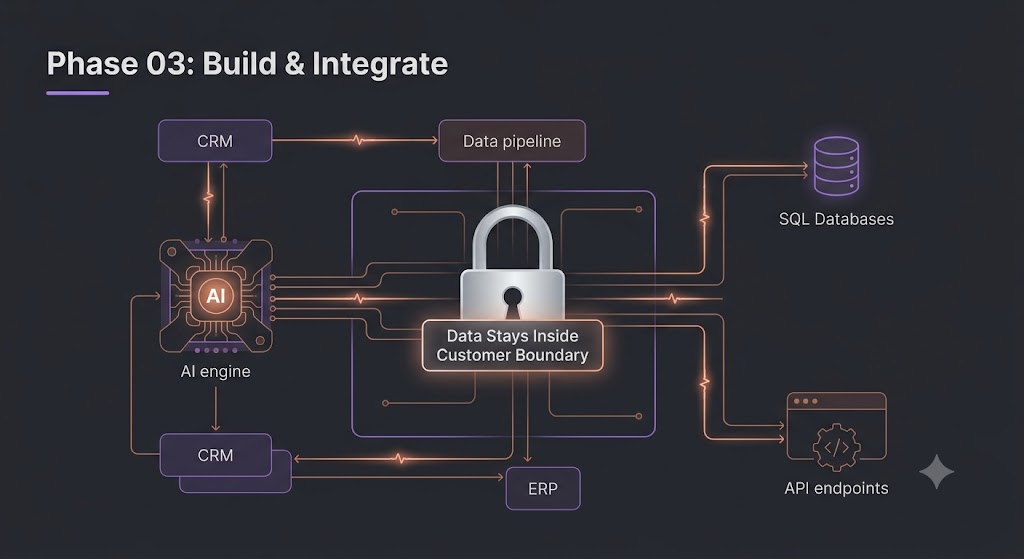
We connect it to the systems you already use

We build the software and connect it to the agreed company systems, such as CRM, ERP, databases, files, email and APIs. The aim is to improve the existing way people work rather than give them another disconnected tool. Operational customer data stays inside the agreed customer controlled environment.

Working software connected to real company systems inside the agreed environment.

Phase diagram
KynticAI connected to CRM, ERP, databases and APIs inside a customer controlled environment.

Step 04

Go live and train people

Put it into real use and show the team how it works

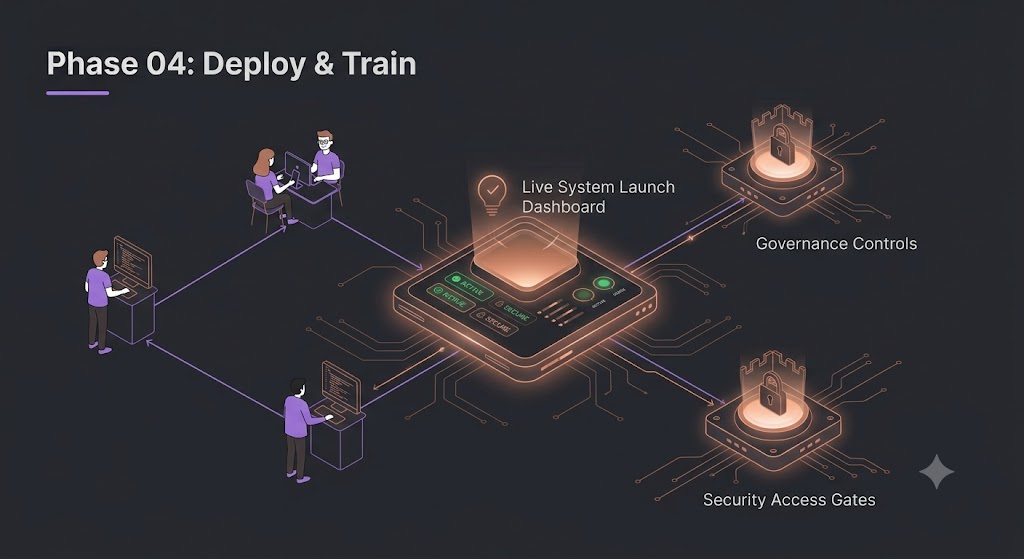
Before launch we review security, access, operating instructions and who is allowed to use what. We then train the people using the system so they understand the results, the evidence behind them and when a person still needs to make the final decision.

A live system that people understand and can use properly.

Phase diagram
A live system with security checks, access controls, documentation and team training.

Step 05

Measure and improve

Check whether it worked and improve it from real outcomes

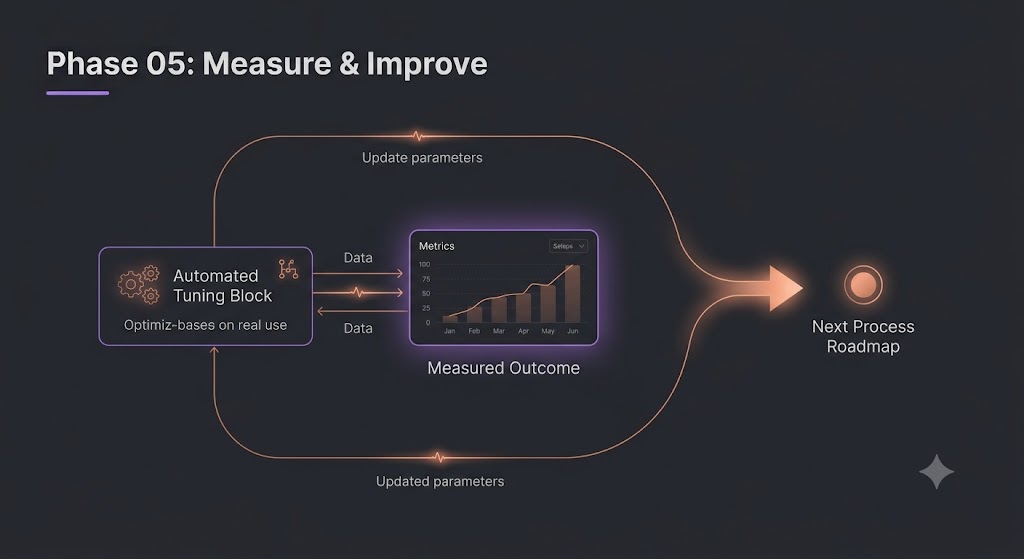
After launch we measure the result agreed at the start. We also record what happened after recommendations so the system can improve how it ranks similar situations in future. If the first use case works, the same foundation can be used for the next useful problem.

Measured results, improvements based on real use and a clear decision about what to do next.

Phase diagram
Results from real use feeding improvements and helping choose the next process to work on.

What the software does

The important work happens before an AI model is asked to explain anything.

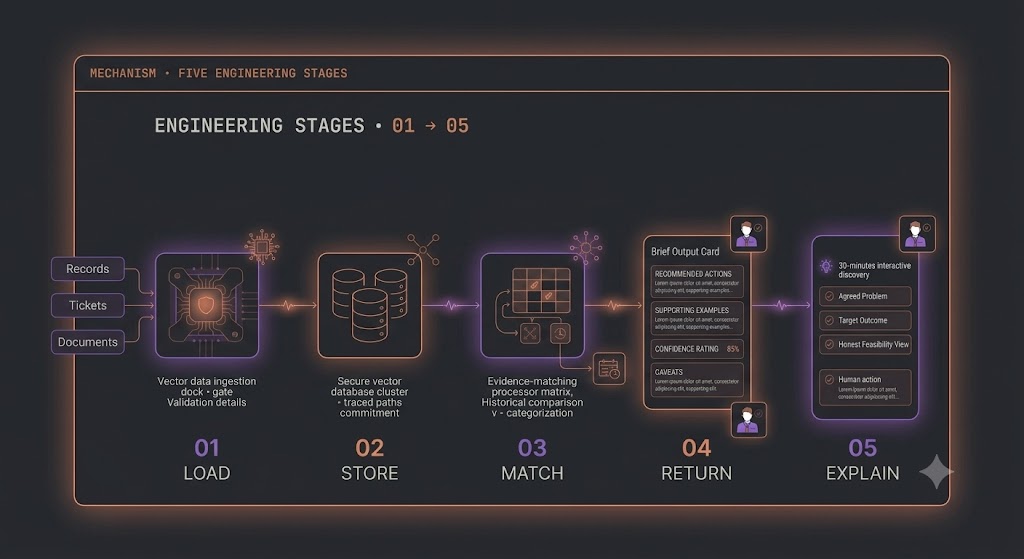
KynticAI starts with approved information, connects the parts that belong together, keeps track of where they came from, compares the current situation with known past outcomes and returns a checked result. AI can then explain that result if it is useful.

The main engineering steps
ENGINEERING STAGES · 01 → 05STAGE 01LOADSTAGE 02STORESTAGE 03MATCHSTAGE 04RETURNSTAGE 05EXPLAIN
The main engineering steps: load approved information, store connections, compare outcomes, return a result and explain it.
Full flow. The dashed line shows the customer controlled boundary.
END-TO-END · AUTHORISED SIGNAL FLOWHOW IT WORKS · MECHANISMCUSTOMER ESTATE — your systems stay inside this line01LOADsource bus02STOREpath spine03MATCHmatch fan04RETURNjson envelopebrief05EXPLAINreads brief onlyAPPROVED MODEL · EXPLAIN ONLYHUMAN TEAM / WORKFLOWapproved outcome → path storerecords, paths and outcomes stay inside the dashed boundaryexplain sits on the boundary edge

Step 01 · APPROVED INFORMATION IN

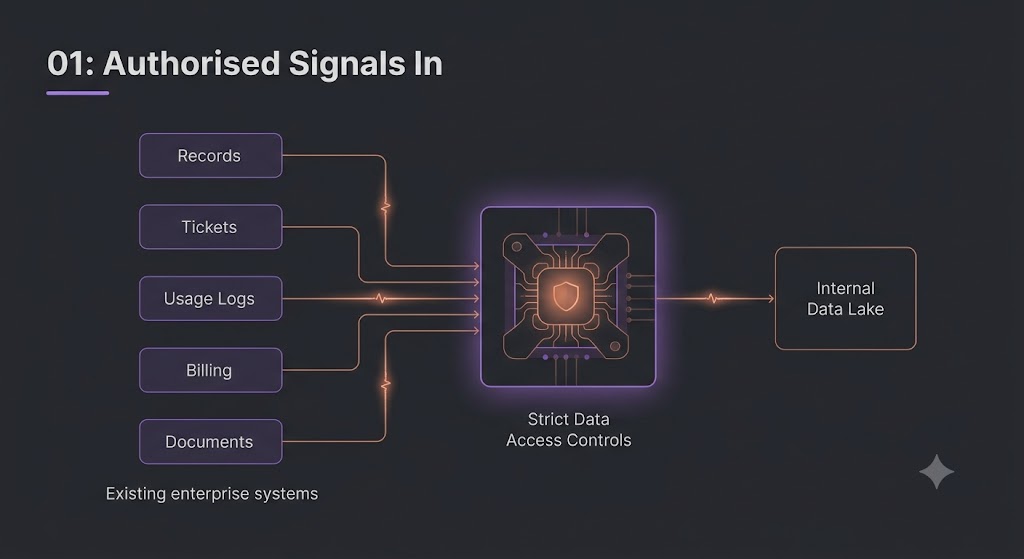
Only use information you have approved

The system starts with the records, tickets, usage, billing information, documents or other sources you agree it can use. It does not simply collect everything or send an unrestricted block of company data to an AI model.

01 · LOAD — AUTHORISED SIGNALS INapproved sourcesCRMEMAILSUPPORTBILLINGWEBOUTCOMESAUTHORISED ITEM BUSapproved · ordered · deduplicatedevery signal named and approved — no free crawl
Approved company information entering through a controlled boundary.

Step 02 · CONNECT IT AND KEEP THE ORDER

Keep track of what is connected and what happened when

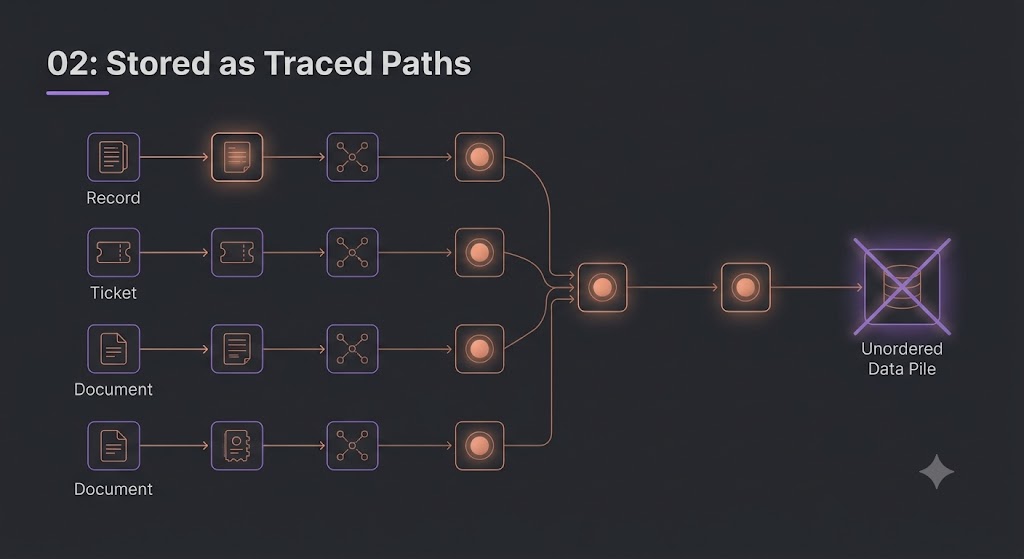
KynticAI links records and events that belong together, keeps them in time order and remembers where each piece of information came from. That means a later recommendation can be traced back to the facts used to reach it.

02 · STORE — STORED AS TRACED PATHSOBJECT IDord_79421time →CRM01 · 09:12EMAIL01 · 14:05ERP02 · 08:40WEB02 · 11:22CSV03 · 10:03CUSTOMERPAYMENTORDERorder is part of the evidence — traced, not flattened
Related events linked in time order with their original sources kept alongside them.

Step 03 · COMPARE WITH EARLIER RESULTS

Look at what happened in similar situations before

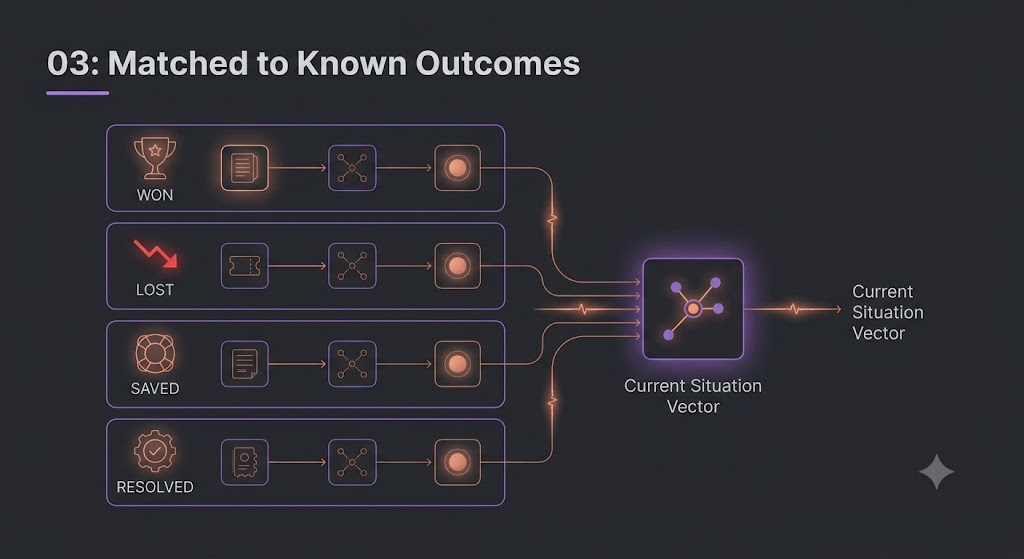
The current situation can be compared with earlier situations where the result is known, such as won, lost, saved or resolved. That gives the recommendation evidence from real outcomes instead of relying only on similar words or documents.

03 · MATCH — MATCHED TO KNOWN OUTCOMESCURRENT PATHthis deal's contourCONVERTEDLOSTRETAINEDRANKED SIMILAR PATHSranked by outcome evidence
A current situation being compared with earlier situations and their known results.

Step 04 · RETURN A CHECKED RESULT

Return the action, evidence and level of confidence

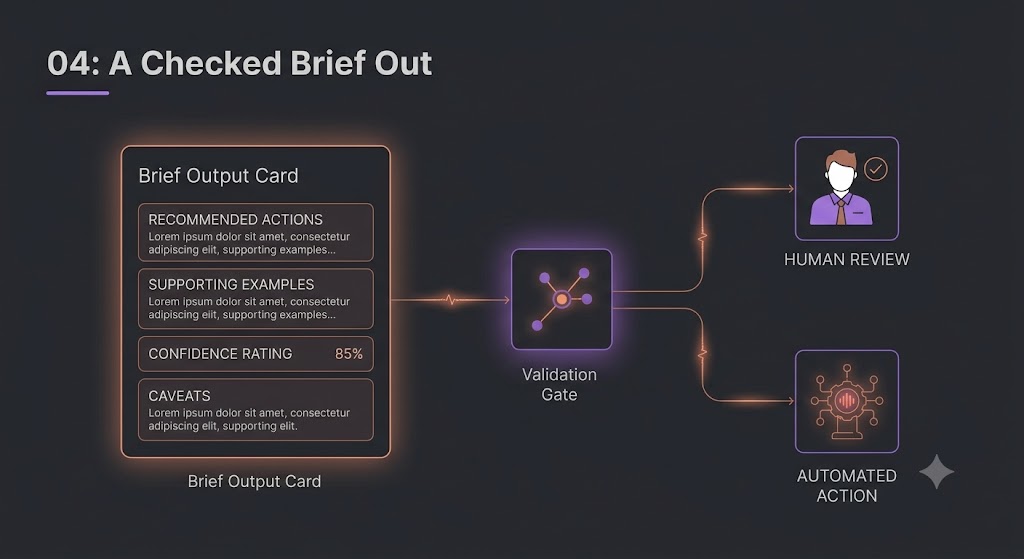
The result is structured and checked before it is used. It includes the recommended next actions, examples that support them, how confident the system is and any important warnings or limits. A person, company system or approved AI model can then use that result.

04 · RETURN — A CHECKED BRIEF OUTchecked brief · application/json{"top_examples": [ 2 shown ],"attribution_path": "crm→email→erp","confidence": 0.87,"caveats": [ 1 flag ],"next_tasks": [{ "action": "quote", "priority": "high" },]}SCHEMA-VALIDRAW EXPORTmachine-checked before anymodel or human reads ita checked brief out — never a raw data dump
A checked result showing the recommended action, supporting evidence, confidence and warnings before it is used.

Customer control. The checked result can go to an approved model, company software or a person. The detailed customer records, relationships and outcomes stay inside the customer controlled environment. They do not need to be sent to the KynticAI cloud service. Where a private model is part of the agreed deployment, it can run inside that same environment and be used to turn the structured result into normal language.

Before you book

Straight answers to common questions.

How long does a pilot take?

A pilot for one clearly defined process is normally measured in weeks rather than quarters. The exact time depends on which systems need to be connected and how quickly access can be agreed.

Do we need to replace our existing software?

No. The point is to work with the systems you already use. We connect to the information needed for the agreed problem rather than asking you to replace everything first.

Where does our data go?

Operational customer data stays inside the agreed customer controlled environment. The KynticAI cloud service is used for commercial and service management information and is not designed to receive raw customer operational data by default.

What if AI is not the right answer for our process?

We tell you. A normal software change, process change or better reporting may be the right answer. There is no value in adding AI where it does not improve the result.

Your next step

Tell us one process you want to improve.

Explain what happens today and what result you want to improve. We will tell you whether KynticAI or AI is useful for it and what a sensible first test would look like.

Talk to a software engineer, not a sales team.

Get an honest view of whether the idea is worth doing.

Start with a clearly defined result you can measure.